


Ever rearranged your room in your head before actually moving a single chair? Or maybe mentally knocked down a wall and built a whole new space—all while sipping coffee? Congrats, you’ve already got the interior designer mindset! But now comes the real question: how do you turn that vision into something that actually works in the real world? That’s where the top interior design software you must master comes in—and they’re the secret sauce behind every stunning space you scroll past on Pinterest.
Whether you’re dreaming of becoming a design pro or already sketching up floor plans in your notebook, learning the right tools is just as important as having a creative eye. And if you’re looking to sharpen that skill set with the right guidance, the Interior Design course at JD Institute teaches three of the industry’s top software—AutoCAD, SketchUp, and 3ds Max—to get you future-ready.
What It Does: Think of AutoCAD as your design GPS. It helps you map out precise, to-the-millimeter floor plans, layouts, and technical drawings.
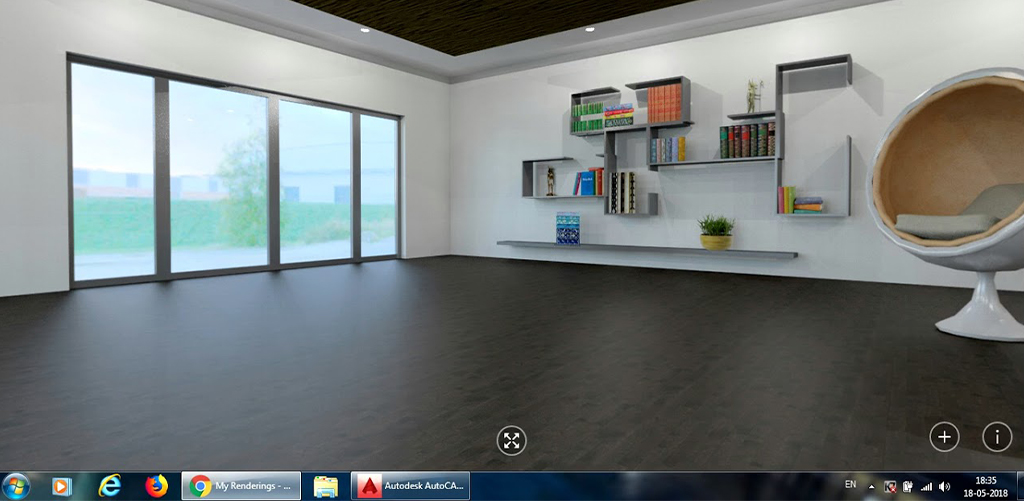
Why It Matters: It’s the go-to tool used by architects and interior designers to ensure designs are accurate and ready for execution.
Cool Example: Ever seen those sleek Apple Store interiors? The technical detailing behind them often starts in software like AutoCAD.
Learn It At JD Institute: Interior Design Students get hands-on experience with AutoCAD, mastering how to translate rough sketches into professional-level floor plans that contractors actually use on-site.
What It Does: It’s intuitive, fast, and lets you build 3D models as if you’re playing a very fancy game of digital Lego.
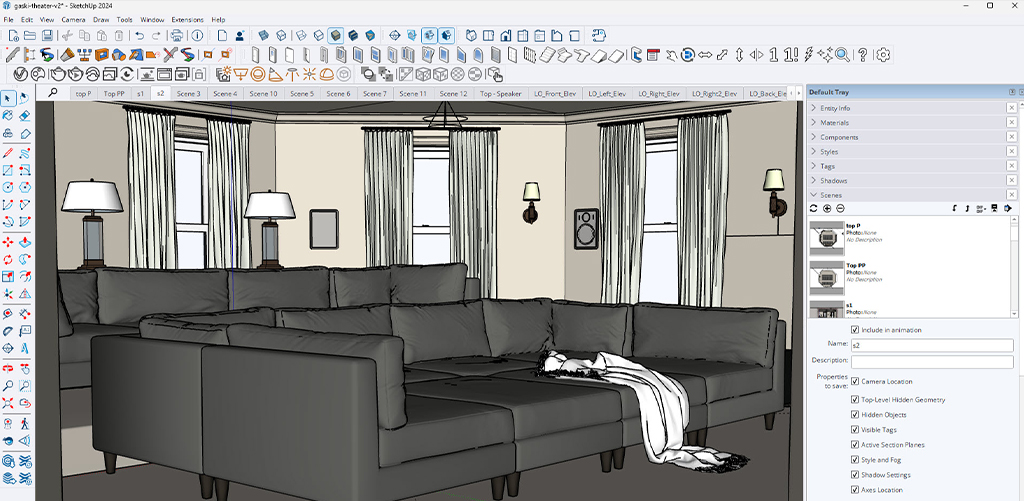
Why It Matters: SketchUp is perfect for turning flat plans into walk-through-ready 3D visuals. Great for client presentations and quick prototyping.
Startup Vibe: IKEA’s planning tools for customers? Yep, they use SketchUp-like modeling to let people preview their room setups.
Also Taught at JD Institute: Here, you’ll learn how to take your 2D dreams and pop them into 3D reality—while keeping the proportions, aesthetics, and structure in check.
What It Does: Rhino handles super complex curves and fluid forms—perfect for designers who love breaking the rules of straight lines.
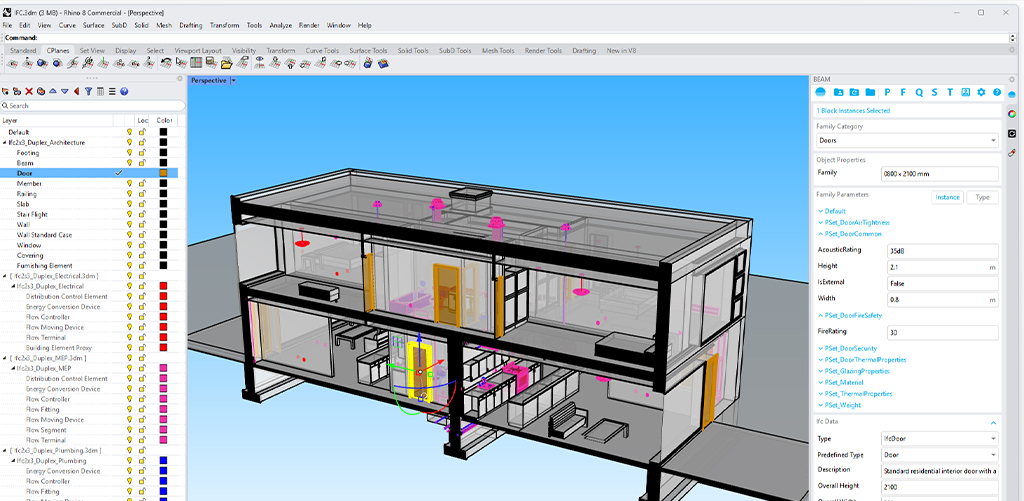
Why It Matters: From undulating furniture to custom sculptural pieces, Rhino allows for that extra bit of wow in your designs.
Inspiration Station: Zaha Hadid’s futuristic designs? Rhino played a big part in crafting those impossible-looking, incredibly iconic spaces. It’s a great software to explore once you’ve got your basics down.
What It Does: Lumion takes your 3D designs and renders them into cinematic visuals—complete with lighting, shadows, textures, even birds flying!
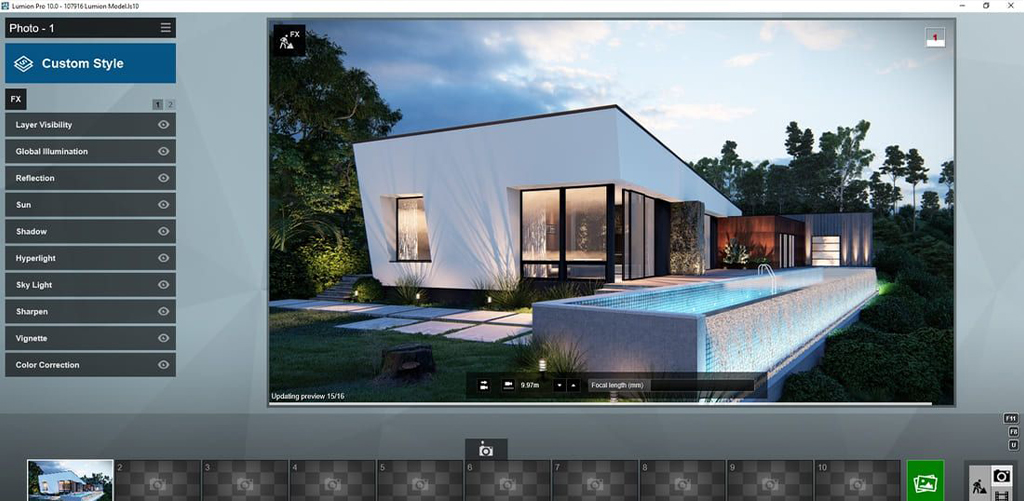
Why It Matters: You don’t just show your client a room—you immerse them in it. Many real estate firms use Lumion for those virtual property tours you see on high-end listings.
Why You Should Know It: Even if you’re not a rendering expert, understanding how to make your designs feel real gives you a competitive edge.
What It Does: Blender is open-source and totally free, but it packs serious power for modeling, rendering, and even animation.
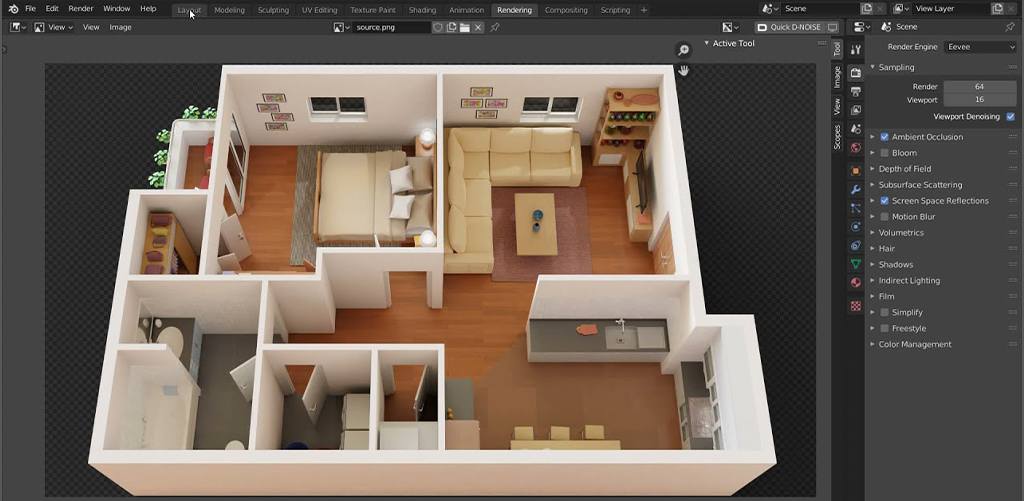
Why It Matters: It’s great for indie designers or students experimenting with visuals without shelling out big bucks.
Creative Sparks: Many digital artists and small studios use Blender to create everything from interiors to animated films.
Pro Designer Tip: Start exploring Blender once you’re confident with industry basics like SketchUp or 3ds Max—it’s a rabbit hole worth diving into.
What It Does: It helps you create jaw-dropping, ultra-realistic 3D renders. We’re talking textures you can almost feel on screen.
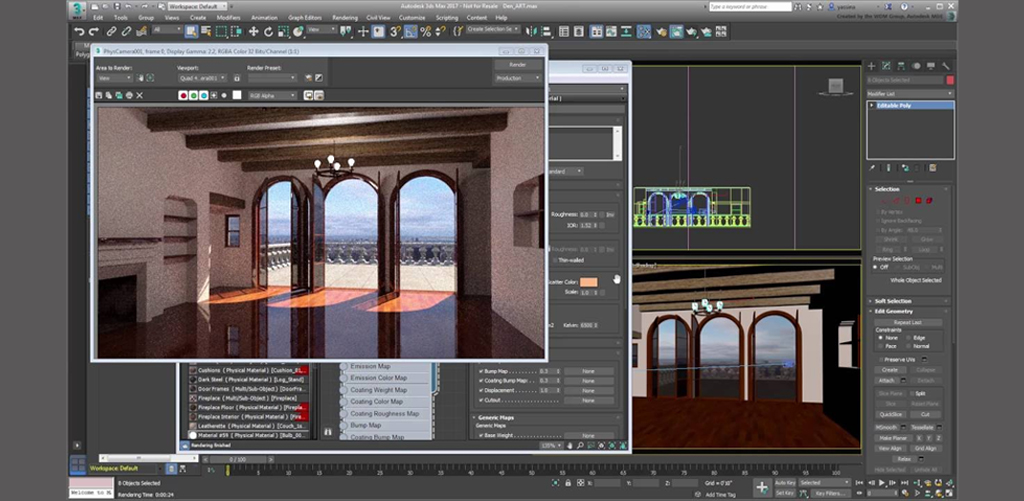
Why It Matters: It’s widely used in high-end interior projects, gaming, and even Hollywood. If you want to impress a client or win a pitch—this is your tool.
Real-World Hero: Many hotel chains, like Marriott and Hilton, rely on 3ds Max to visualize and pitch interior concepts before a single brick is laid.
Hands-On at JD Institute: As one of the key software in the Interior Design course, students learn how to use 3ds Max for design presentations that dazzle and sell.
You’ve got the imagination. Now it’s time to sharpen the tools. From mastering AutoCAD to creating stunning visuals in 3ds Max, this is where your Interior Designer journey gets real. And if you’re looking for a place that turns your creative chaos into professional clarity—JD Institute is where you plug in and power up.
Don’t just sketch the dream. Build it.
 Design Blogs
 Watch on youtube


 Downloads

Copyright © 2025 JD Institute of Fashion. All Right Reserved
Designed by




 Quick Menu